
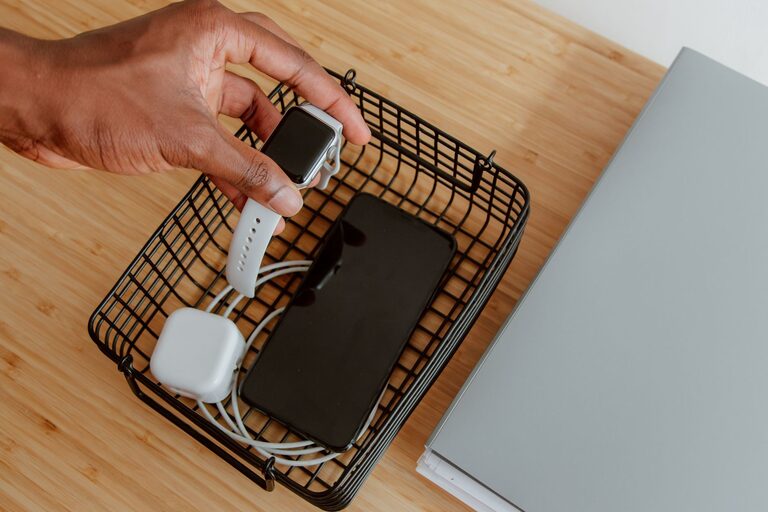
Setting up a dedicated charging station for your devices can save you time, reduce clutter, and keep all your gadgets powered and ready to use. Whether you have smartphones, tablets, smartwatches, or other rechargeable electronics, a well-organized charging area helps streamline your daily routine. This guide will walk you through the essentials of creating a practical and safe charging station right at home.
Why Set Up a Charging Station?
Many people charge their devices in different rooms, on random surfaces, or even on the floor. This can lead to tangled cords, misplaced chargers, and sometimes even damage to devices or cables. A designated charging station offers several benefits:
– Keeps all cables and devices organized in one spot
– Reduces clutter and the risk of tripping over cords
– Makes it easy to locate chargers and devices when needed
– Protects devices from accidental damage
– Can be a stylish addition to your home or office space
Planning Your Charging Station
Choose the Right Location
Start by selecting a convenient and accessible spot for your charging station. Good options include:
– A desk or side table in a common area
– Near a power outlet to avoid extension cords
– A shelf or drawer that can be dedicated to charging
Consider areas where you spend a lot of time, such as your home office or living room, so devices are easy to grab and go.
Assess Your Devices and Chargers
Take stock of all the devices you regularly charge. Common items could include:
– Smartphones
– Tablets
– Wireless earbuds
– Smartwatches
– Portable battery packs
Make a list of how many chargers and cables you’ll need. Knowing this helps determine how many charging ports or stations you should use.
Components for a Charging Station
Charging Hubs and Multi-Port Chargers
Instead of plugging multiple chargers into an outlet, consider a multi-port USB charging hub. This device can charge several gadgets simultaneously and reduces the number of power adapters needed.
Benefits:
– Saves space
– Avoids overloading outlets
– Supports fast charging on multiple devices
Charging Pads and Stands
For wireless-capable devices, wireless charging pads or stands can reduce cable clutter further. Place compatible phones or earbuds on the pad to charge without plugging in cables.
Cable Organizers
Simple cable holders, clips, or sleeves help keep cords neat and untangled. Velcro straps or cord wraps are also useful for managing extra cable length.
Storage Boxes or Trays
Using a small box or tray can keep devices confined to the charging area and prevent them from sliding off surfaces or getting lost.
Step-by-Step Setup Guide
1. Clear and Prepare the Space
Begin with a clean surface. Remove unnecessary items to keep the area neat. Make sure the charging station is close to a power source.
2. Arrange Charging Equipment
Place your multi-port charger or charging hub on the surface. If using wireless chargers, set them where devices will rest comfortably.
3. Connect and Organize Cables
Plug in your chargers and neatly arrange the cables. Use cable organizers or clips to secure cables in place, preventing them from tangling or falling.
4. Create Device Spots
Designate specific spots for each device—this could be spaces on a tray, or simply marked areas on the surface. Knowing where each gadget goes helps maintain order.
5. Add Labels (Optional)
If multiple people use the charging station, consider labeling cables or spots for each device to avoid confusion.
6. Test Your Setup
Plug in your devices and ensure they charge properly. Adjust the arrangement if needed for better accessibility.
Maintenance Tips
– Regularly dust and clean the charging area and equipment
– Check cables for wear or damage and replace as needed
– Avoid overloading charging hubs with devices not designed for them
– Unplug chargers that are not in use to save energy and reduce heat
Additional Ideas for Customization
– Use a decorative box or basket to hide cables and chargers while allowing air circulation
– Incorporate small shelves or hooks nearby for headphones or cases
– Add a nightlight or LED strip for visibility in the dark
– Use a power strip with surge protection for extra safety
Conclusion
Setting up a charging station is an easy and effective way to keep your devices charged, organized, and easy to find. With the right location, equipment, and organization techniques, you can create a clutter-free space that suits your needs perfectly. Give it a try and enjoy the convenience of having all your devices ready to go whenever you need them!